
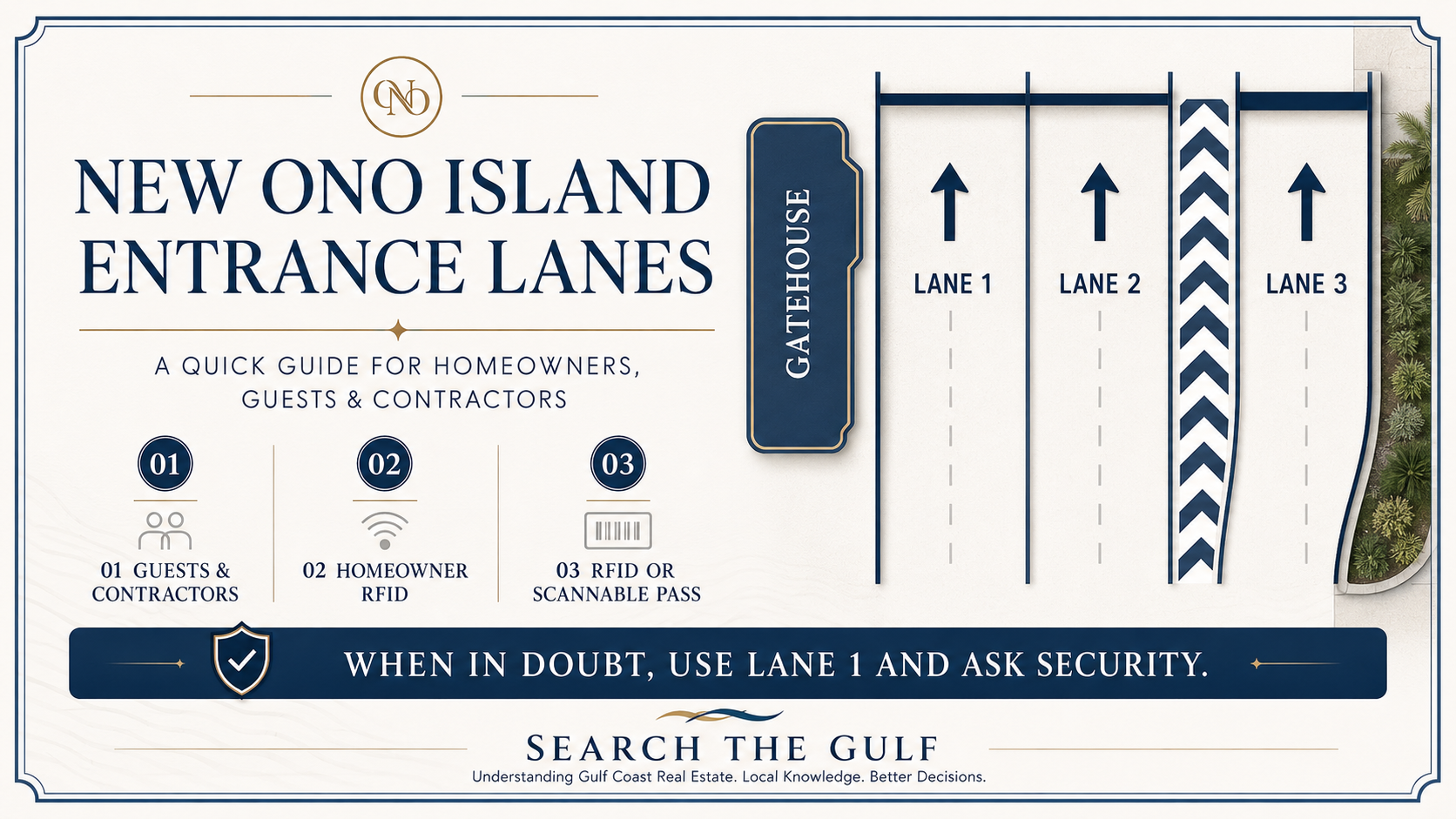
New Ono Island Entrance Lanes: A Guide for Homeowners, Guests, Contractors and Real Estate Visitors
_(800_x_150_px)_(2).gif)
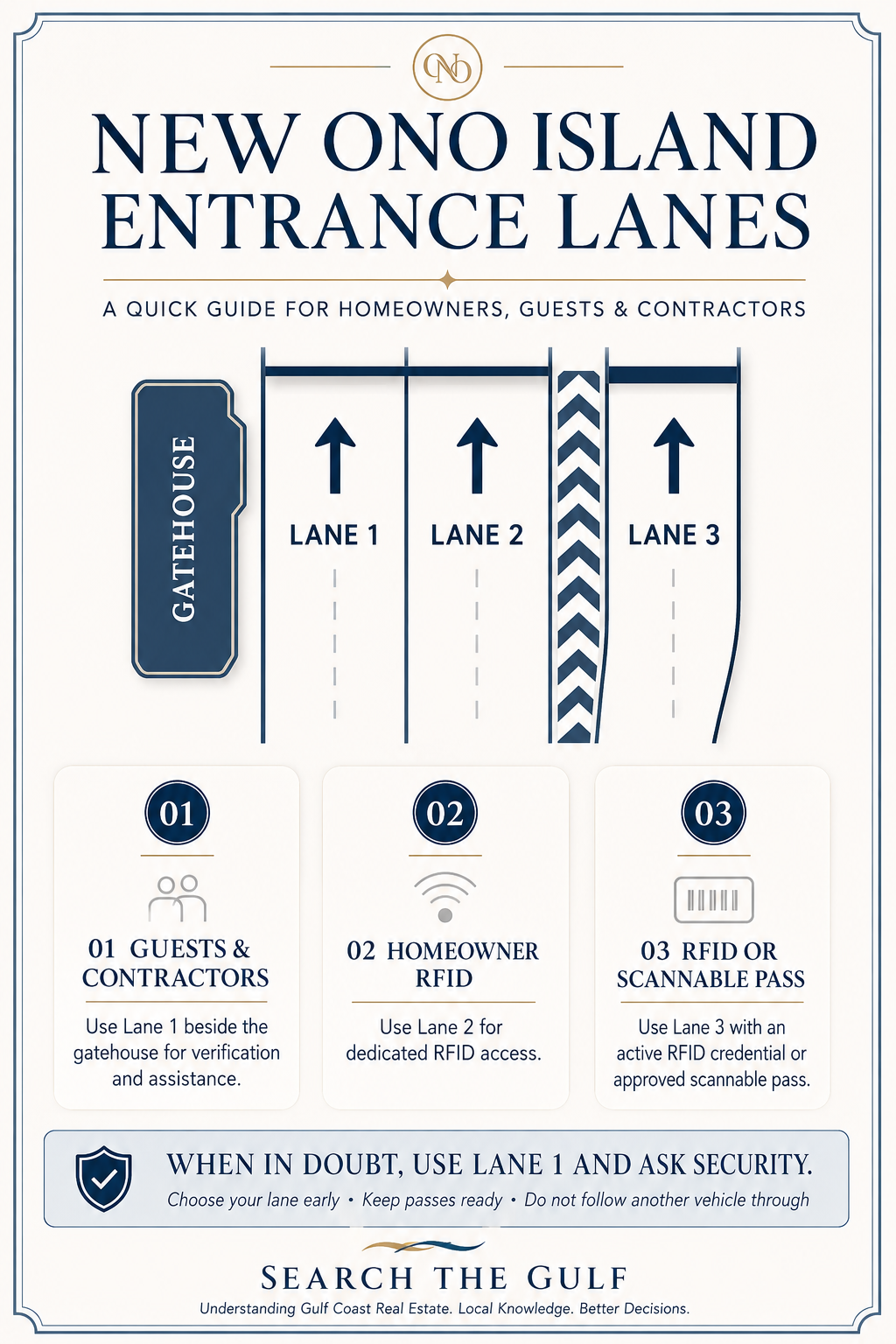
The entrance to Ono Island now has a clearly defined three-lane traffic pattern designed to separate homeowners using RFID access from guests, contractors and visitors using an approved pass.
Because every lane serves a different purpose, choosing the correct one before reaching the gatehouse should make arrivals safer and more efficient—particularly during busy construction hours, holidays and weekends.
Ono Island is accessed by a privately owned bridge connecting the island with Perdido Beach Boulevard. The guarded entrance is one of the community’s defining features and an important part of everyday island life.
Ono Island’s Three Entrance Lanes
The new entrance pattern is straightforward once you understand how each lane functions.
| Lane | Intended user | How it works |
|---|---|---|
| Lane 1 | Guests and contractors | Proceed toward the gatehouse for verification and assistance. |
| Lane 2 | Homeowners and other authorized RFID users | Use the dedicated RFID entrance for automatic access. |
| Lane 3 | RFID users and visitors with a scannable pass | Use RFID access or scan an approved entrance pass. |
Lane 1: Guests and Contractors
Lane 1 is the lane closest to the gatehouse and is designated for guest and contractor access.
Use Lane 1 if you are:
-
Visiting an Ono Island homeowner
-
Arriving for the first time without a scannable pass
-
A contractor, subcontractor or construction worker
-
A delivery or service provider requiring gate verification
-
A real estate buyer meeting an agent for a property tour
-
An inspector, appraiser, surveyor or other real estate professional
-
Unsure whether your authorization is active or which lane applies
Guests should confirm that the homeowner has submitted their information before they arrive. The name given at the gate should match the name entered by the homeowner, and visitors should be prepared to provide the address they are visiting.
My tip for guests
Ask the homeowner for three things before leaving:
-
The property address
-
Confirmation that your name has been submitted
-
Whether you should use Lane 1 or have been issued a scannable pass for Lane 3
If you have not received a pass or do not know whether it will scan, stay in Lane 1 and speak with security.
Lane 2: Dedicated RFID Access
Lane 2 is the dedicated RFID access lane.
This will generally be the most direct choice for homeowners and other authorized drivers whose vehicles have an active RFID credential. The system recognizes the registered vehicle and permits entry without requiring the driver to stop at the gatehouse for routine verification.
Use Lane 2 when:
-
Your vehicle has an active Ono Island RFID credential
-
You do not need assistance from security
-
You are entering through the standard homeowner access process
-
You do not need to present or scan a separate guest pass
My tip for homeowners
Approach at a controlled speed and allow the RFID reader time to recognize your vehicle. Do not follow the vehicle ahead too closely or attempt to pass through on the same gate cycle.
If the gate does not respond, avoid backing into approaching traffic. Follow the direction of security personnel and move to the appropriate assistance area when instructed.
Lane 3: RFID and Pass-Scanner Access
Lane 3 accommodates both RFID access and pass-scanner access.
This lane may be helpful for:
-
Authorized vehicles with an active RFID credential
-
Guests who have received a valid scannable pass
-
Approved visitors who do not need to stop at the gatehouse
-
Repeat visitors whose authorization has already been properly arranged
A scannable pass should be ready before the vehicle reaches the reader. If the pass is stored on a phone, increase the screen brightness and open the pass before entering the lane.
My tip for pass holders
Do not wait until you reach the scanner to begin searching through emails or text messages. Pull over somewhere safe before approaching the bridge, open the pass and keep it visible on the screen.
If the scanner does not accept the pass, do not repeatedly reverse or move across the striped divider. Follow posted instructions or request assistance from security.
Which Lane Should I Use?
I am an Ono Island homeowner with an active RFID credential
Use Lane 2 or Lane 3. Lane 2 is the dedicated RFID lane and will usually be the most intuitive choice.
I am a homeowner, but my RFID is not working
Use the lane directed by security. Do not assume the gate will open after multiple attempts or follow another vehicle through.
I am visiting a friend or family member
Use Lane 1 unless the homeowner has provided a valid scannable pass and instructed you to use Lane 3.
I have a scannable guest pass
Use Lane 3 and have the pass open before reaching the scanner.
I am a contractor or subcontractor
Use Lane 1, as shown on the new entrance diagram. Confirm the job address, homeowner’s name and applicable work authorization before arriving.
I am making a delivery or providing a service
Unless you have been given specific access instructions and an appropriate pass, use Lane 1 for gate verification.
I am meeting a real estate agent to view a property
Use Lane 1 unless your agent or the property owner has arranged a scannable pass for Lane 3.
Your agent should provide:
-
The property address
-
The scheduled meeting time
-
Confirmation that access has been arranged
-
Clear instructions about where to meet after entering the island
I am an inspector, appraiser, surveyor or photographer
Use Lane 1 unless a different procedure has been confirmed in advance. Keep the property address, appointment details and requesting party’s name readily available.
How Homeowners Can Help Their Guests
A smooth arrival begins before the guest reaches the bridge.
I recommend that homeowners:
-
Submit guest information early
-
Use the guest’s correct first and last name
-
Confirm the date and expected arrival window
-
Provide the exact Ono Island address
-
Explain which entrance lane to use
-
Send the pass before the guest begins driving
-
Remind the guest to have identification available
-
Update or cancel access if plans change
-
Give contractors the property address and project contact
-
Avoid telling an unregistered guest simply to “follow someone through”
The purpose of the new lane configuration is to improve traffic flow without compromising the controlled-access system that homeowners value.
Advice for Contractors and Service Providers
Contractors should use Lane 1 and arrive with accurate information.
Before reaching the gate, confirm:
-
The homeowner or authorized project contact
-
The Ono Island job-site address
-
The company name shown on the work authorization
-
Whether the work requires prior POA or ACC approval
-
Whether all applicable permits and credentials are current
-
That the visit falls within permitted contractor access and work hours
Contractor rules, hours and permit requirements can change or may vary with the type of work. Homeowners and contractors should confirm the current requirements with Ono Island management or the appropriate association office rather than relying on older instructions.
Contractors planning exterior construction, shoreline work, additions or significant property modifications may also need approval beyond entrance authorization. Gate access is not the same as approval to begin work.
Advice for Real Estate Buyers Visiting Ono Island
For many buyers, the drive across the private bridge is their first experience of the island. I want that arrival to feel welcoming and organized.
When I schedule an Ono Island property tour, I recommend that buyers:
-
Send me the full names of everyone attending
-
Arrive in as few vehicles as reasonably possible
-
Keep a driver’s license available
-
Use Lane 1 unless I confirm a scannable pass
-
Avoid changing vehicles at the last minute
-
Tell me if another family member will arrive separately
-
Call before approaching the gate if the arrival time changes substantially
-
Wait for instructions rather than following another vehicle through
Access for a property showing must be arranged in advance. Because Ono Island is a private residential community, buyers should not expect to enter simply to drive around or explore without an authorized destination.
Safe Navigation Through the New Entrance
Regardless of which lane you use:
-
Choose your lane before reaching the gatehouse
-
Reduce speed as you approach the bridge entrance
-
Observe signs, pavement markings and security directions
-
Maintain adequate distance from the vehicle ahead
-
Do not make a last-second lane change
-
Never cross the striped divider near the scanner
-
Do not follow another vehicle through an open gate
-
Keep passes and identification ready
-
Allow larger contractor vehicles additional maneuvering room
-
Watch for vehicles stopping unexpectedly for assistance
The striped separation between Lanes 2 and 3 should be treated as a defined traffic divider, not an area for changing lanes.
A Simple Way to Remember the Pattern
Lane 1: Stop for assistance.
Lane 2: Homeowner RFID.
Lane 3: RFID or scan an approved pass.
When in doubt, use Lane 1 and speak with security rather than guessing.
Why the New Entrance Pattern Matters
The three-lane configuration helps separate vehicles that require personal verification from those already equipped for electronic access.
That distinction should help:
-
Reduce unnecessary delays at the gatehouse
-
Keep homeowner RFID traffic moving
-
Provide a defined route for guests and contractors
-
Make better use of scannable visitor passes
-
Reduce last-minute lane changes
-
Support the island’s controlled-access environment
The gate is more than a physical entrance. It establishes the transition from busy Perdido Beach Boulevard to a private residential island where homeowners place a high value on security, privacy and thoughtful community management.
The Search The Gulf Take
As an Ono Island homeowner, I appreciate that a secure entrance requires cooperation from everyone using it. The new traffic pattern should become intuitive very quickly: Lane 1 for guests and contractors, Lane 2 for dedicated RFID access, and Lane 3 for RFID or scannable passes.
The best approach is simple—arrange access early, choose the correct lane before reaching the gate and allow security to assist whenever there is uncertainty.
Buyers can explore Ono Island homes, waterfront properties and real estate through Search The Gulf, the Gulf Coast’s premier website for searching all real estate listings along the Gulf Coast.
This guide is based on the newly posted Ono Island entrance traffic diagram. Access procedures, contractor requirements and operating policies may be updated. Homeowners, guests and service providers should follow current signage and instructions from Ono Island security.

#searchthegulf #meredithamon #becausewelivehere
Ono Island Homes & Land for Sale – Luxury Waterfront Real Estate in Orange Beach Alabama
- All Listings
- $100,000 - $200,000
- $200,000 - $300,000
- $300,000 - $400,000
- $400,000 - $500,000
- $500,000 - $600,000
- $600,000 - $700,000
- $700,000 - $800,000
- $800,000 - $900,000
- $900,000 - $1,000,000
- Over $1,000,000





.gif)

2026 MBGFC Labor Day Invitational | Orange Beach | Search The Gulf
Orange Beach · Boating Lifestyle
The 2026 MBGFC Labor Day Invitational: Celebrating Orange Beach’s Fishing and Boating Community
Thirty-eight teams, 222 anglers, 186 catches—and a Labor Day weekend that felt like one coastal family at the dock.
Explore Orange Beach Perdido Pass
On this…

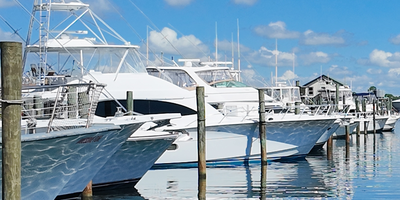
Cotton Bayou Marina Boats | Orange Beach Near Terry Cove

Orange Beach and Ono Island Real Estate Update September
Ask A Question or Sign Up To See New Real Estate Listings Before Your Competition
When it comes to finding the home of your dreams in a fast-paced market, knowing about new listings as soon as they are available is part of our competitive advantage.Sign up to see new listings in an area or specific community. Contact Meredith with any questions you may have.